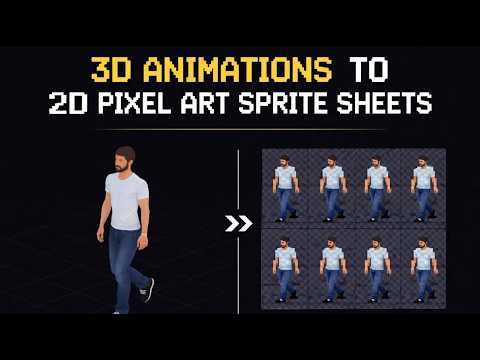
Video footage is one of the most underused sources of game assets. Real performances, stop-motion animation, motion capture reference — if it exists on film, Auto-Sprite can turn it into a game-ready sprite sheet automatically.
How It Works
Upload any video clip and Auto-Sprite takes over. It extracts every frame at the frame rate you specify, strips the background using AI-powered removal, crops tightly around the subject, and stitches the result into a sprite sheet grid. You choose the frame rate, grid size, and output format.
AI Background Removal
This is where Auto-Sprite earns its name. Instead of requiring a green screen, the AI background removal works on real-world footage. Film your reference video anywhere — in your room, outside, against a wall — upload it, and get clean transparent sprites out the other side. Green screen footage works too, and gives the cleanest results.
Workflow Tips
- Film against a simple, contrasting background for the cleanest AI removal results.
- Green screen footage still gives the best edge quality if you have access to one.
- Trim your clip before uploading — only process the exact animation you need.
- Use the frame skip setting to reduce sprite sheet size for slow or simple animations.
- Keep a fixed camera position so your subject stays centered across all frames.
Use Cases
Auto-Sprite is ideal for developers who want to work from real-world reference or who have animation assets in video format that need to be converted to sprites.
- Rotoscoped character animations from reference footage
- Stop-motion clay animation turned into game sprites
- Hand-drawn frame-by-frame animation captured on camera
- Sprite sheets extracted from 3D software playblasts or previews
- Converting existing animated GIFs or MP4s to sprite sheet format
Try Auto-Sprite
Open the tool and follow along with the tutorial above.