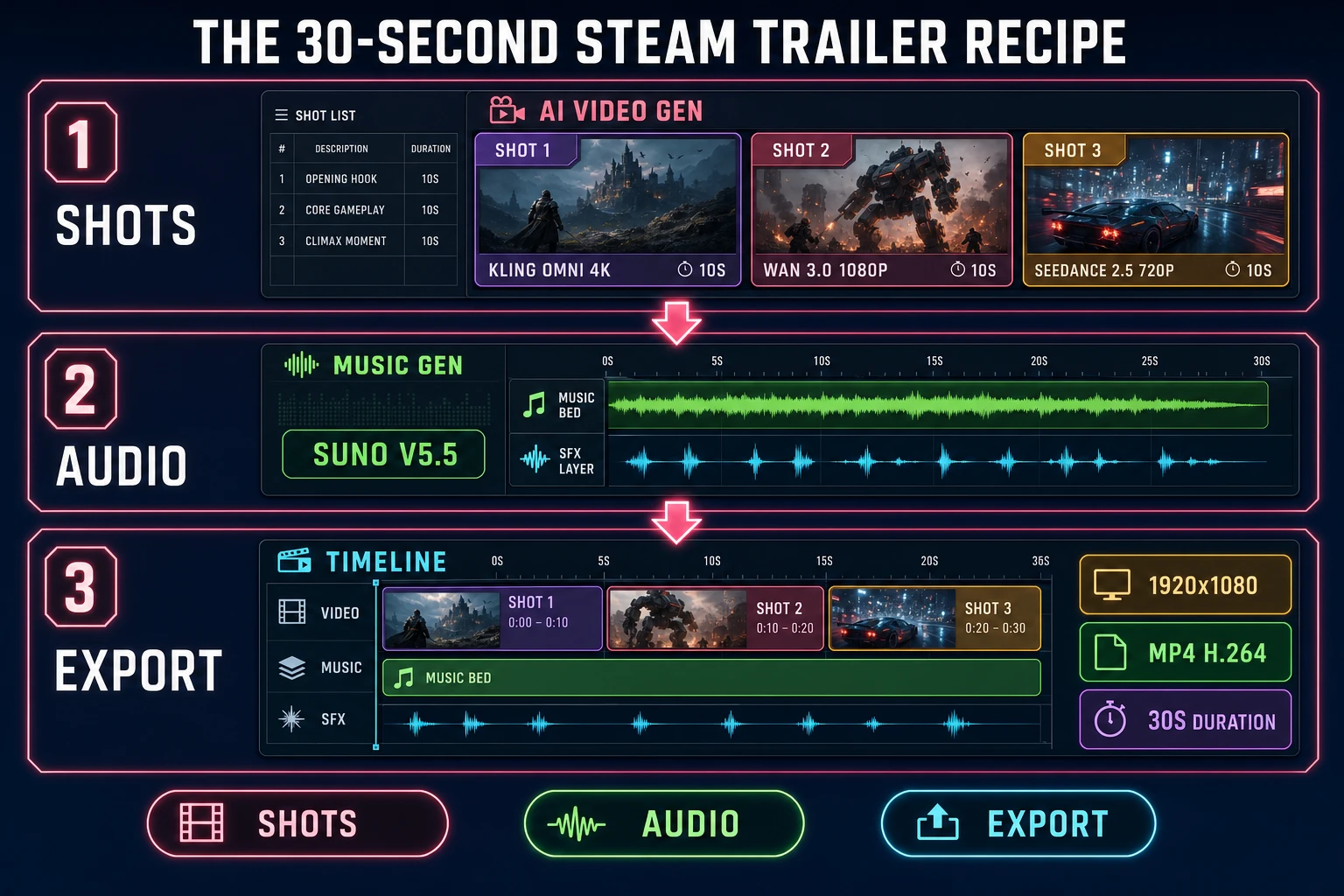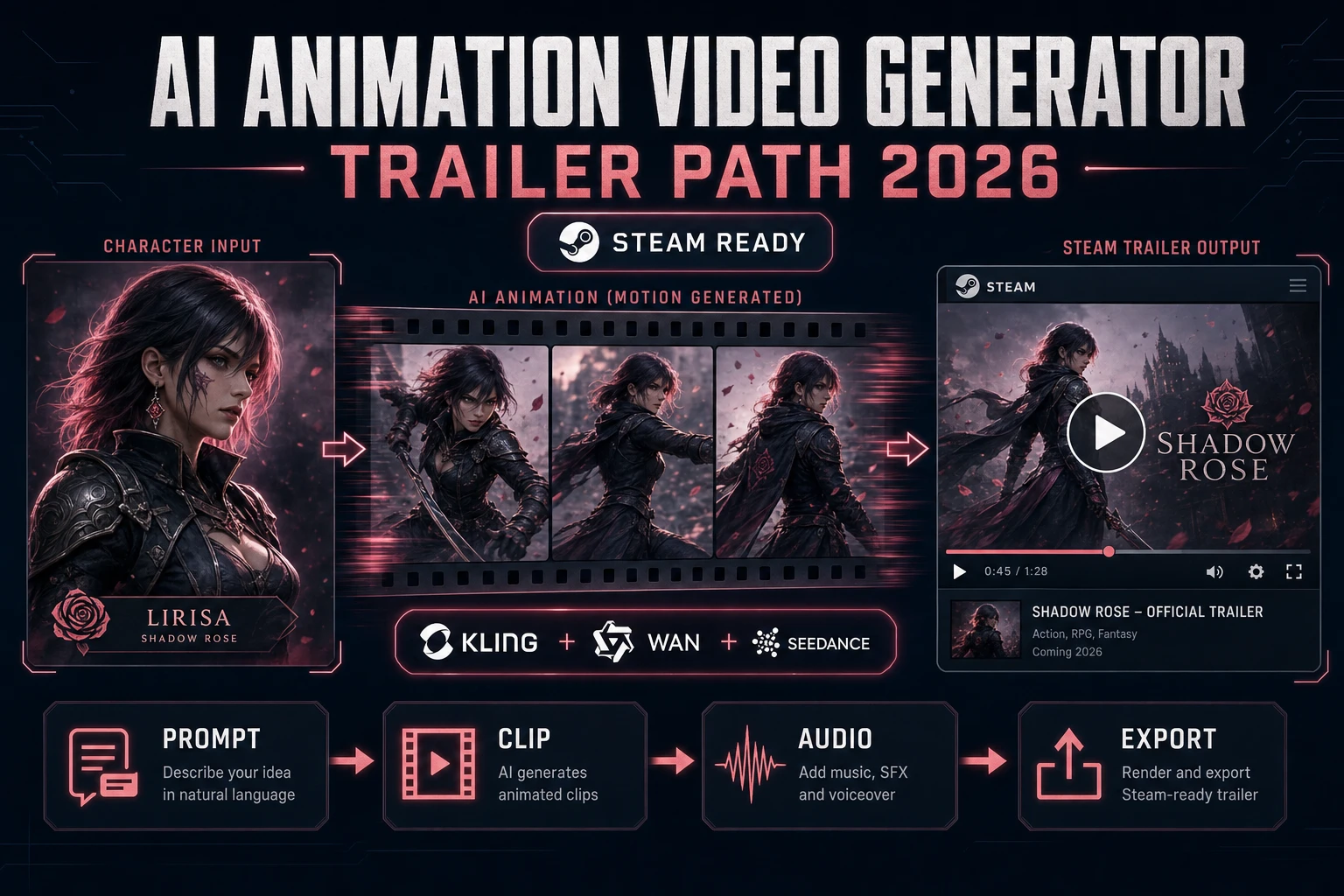
Search ai animation video generator in September 2026 and every top result is a different vendor - Kling, Wan, Seedance, Grok Imagine, Hunyuan Video - each with a different resolution ceiling, a different clip-length cap, and a different price per rendered second. Sorceress AI Video Gen is the panel that routes a single prompt or start frame through every one of them, then hands the clip to Auto-Sprite v2 for sprite output, to Music Gen for the audio bed, or straight into a 30-second Steam trailer. This how-to prints the exact 2026 workflow with verified credit math per rendered second. Every price and feature below was checked 2026-09-13 against src/lib/video-models.ts in the Sorceress source, github.com/Wan-Video/Wan2.2, github.com/Tencent-Hunyuan/HunyuanVideo, and the ffmpeg.org release announcements.
What AI animation video generator means for a game trailer in 2026
The phrase AI animation video generator describes a class of diffusion-based text-to-video and image-to-video systems that produce a short animated clip (typically 4 to 30 seconds) from a text prompt, a start frame, an end frame, or a set of reference images. For game trailer work the definition is stricter than the general SERP definition, because a clip that impresses on a marketing hero page rarely survives the Steam Storefront frame-rate and codec check. A trailer-ready AI animation video generator has to land four surfaces at once - a resolution that meets Steam Storefront requirements (1920x1080 minimum, 4K accepted), an H.264 MP4 export that plays inline on the store page (per the HTML5 <video> element spec on developer.mozilla.org), a length envelope that fits the 30-second-to-2-minute trailer standard, and a consistency layer that keeps the character, palette, and camera style stable across shots. Miss any one of those and the trailer looks like AI slop instead of a real game reel.
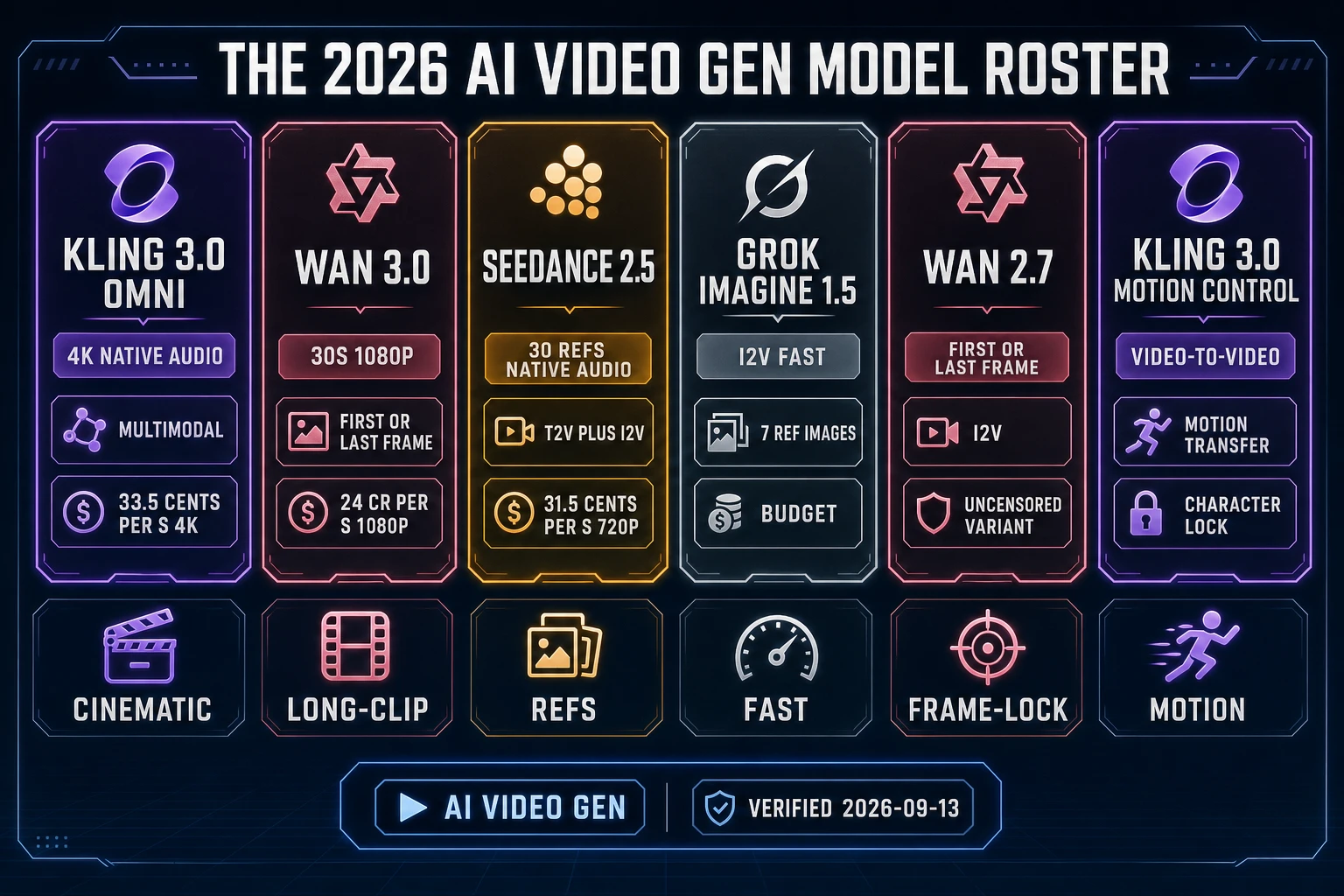
The 2026 stable roster of AI animation video generator systems that clears all four gates is short: Kling 3.0 and Kling 3.0 Omni (Kuaishou, multimodal, native audio, up to 4K), Wan 3.0 and Wan 2.7 (Alibaba, up to 30-second clips at 480P/720P/1080P with native audio - verified 2026-09-13 on github.com/Wan-Video/Wan2.2 at 17,489 stars), Seedance 2.5, Seedance 2.0 and Seedance 2.0 Fast (ByteDance, with reference-image, video, and audio conditioning), Grok Imagine Video 1.5 (xAI, image-to-video with up to 7 reference images), Wan 2.2 Fast (uncensored image-to-video), Kling 2.5 Turbo Pro, Kling 3.0 Motion Control, plus specialty rails Talking Avatars (InfiniteTalk) and Video Lip Sync (Volcengine). Open-source options that clear the same gates on a personal GPU are Wan 2.2 at 17,489 stars and Hunyuan Video at 12,522 stars on github.com/Tencent-Hunyuan/HunyuanVideo (both verified 2026-09-13). All of the cloud models are exposed in a single picker inside Sorceress AI Video Gen.
The Sorceress AI Video Gen loop for AI animation video generator work
Sorceress AI Video Gen is the anchor tool for this workflow. Verified 2026-09-13 in src/app/_home-v2/_data/tools.ts line 273, the panel exposes every top video model in one place - Grok Imagine Video, Wan 2.7 uncensored, Seedance 2.0, and Kling 3.0 - with image-to-video, text-to-video, end-frame control, and native audio all inside the same UI. The full model registry sits at src/lib/video-models.ts line 808 and lists every rail that ships in production: Grok Imagine Video 1.5 (both the regular and VIP-discounted variant), Grok Imagine Video 1.0 (via Kie and via xAI direct), Wan 3.0 all-in-one, Wan 2.7 image-to-video, the Kling 3.0 Omni multimodal endpoint that dispatches text-to-video, image-to-video, transformation, and reference-driven jobs, plus Seedance 2.0, Seedance 2.0 Fast, Seedance 2.5 (via Kie), Seedance 1.5 Pro, Wan 2.2 Fast, Kling 2.5 Turbo Pro, Kling 3.0 Motion Control, Talking Avatars (InfiniteTalk), and Video Lip Sync (Volcengine).
| Model | Best use for a trailer | Length ceiling | Res ceiling | Cost per second (verified 2026-09-13) |
|---|---|---|---|---|
| Kling 3.0 Omni | Cinematic hero shot with native audio | 10s per clip | 4K | 10 cents 720p / 13.5 cents 1080p / 33.5 cents 4K (audio free at 4K) |
| Wan 3.0 | Long establishing pan or transition | 30s per clip | 1080P native audio | 6 cr 480p / 12 cr 720p / 24 cr 1080p (at CREDITS_PER_DOLLAR = 100) |
| Seedance 2.5 | Multi-reference consistency across shots | 30s per clip | 1080p native audio | 14 cents 480p / 31.5 cents 720p / 57 cents 1080p (no video input) |
| Grok Imagine 1.5 | Fast rough cut, image-to-video only | 5-10s per clip | 720p / 1080p | Kie flat per-second rate, VIP tier discount |
| Wan 2.7 | First/last frame lock for hard cut editing | 5-10s per clip | 720p / 1080p | Kie flat per-second rate |
| Kling 3.0 Motion Control | Motion transfer from a reference clip | 5s per clip | 720p / 1080p | Kling std/pro tier |
| Talking Avatars | NPC dialogue cutaway with lip sync | Speaker-length dependent | 720p | InfiniteTalk pricing |
Every credit and cent number above was verified 2026-09-13 against src/lib/video-models.ts. Wan 3.0 billing is Kie cost times 1.5 (per getWan30Credits at line 411), so the 1080p tier of 32 Kie credits per second lands at 24 Sorceress credits per second. Kling 3.0 Omni billing is Kie cost times 1.4 with a ceiling on the total (per getKlingOmniCredits at line 525). Seedance 2.5 billing follows the same 1.4x rule with a ceiling (per getSeedance25Credits at line 259). At the Sorceress CREDITS_PER_DOLLAR = 100 rate (verified 2026-09-13 in src/lib/models.ts line 69), a 10-second Wan 3.0 1080p clip is exactly $2.40 of underlying provider spend, and the same 10-second clip on Kling 3.0 Omni 1080p is $1.35.
Sprite-to-trailer through Auto-Sprite v2
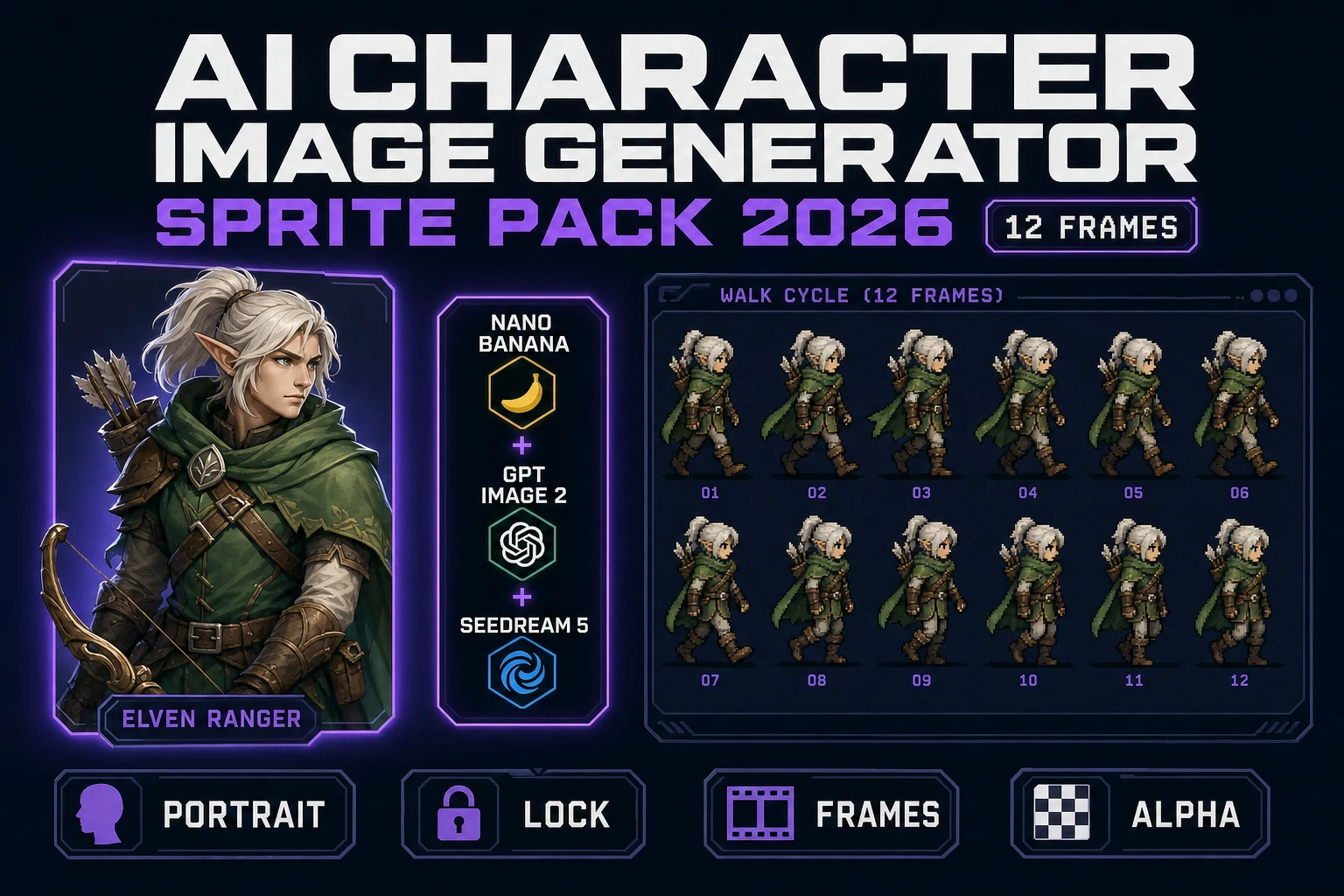
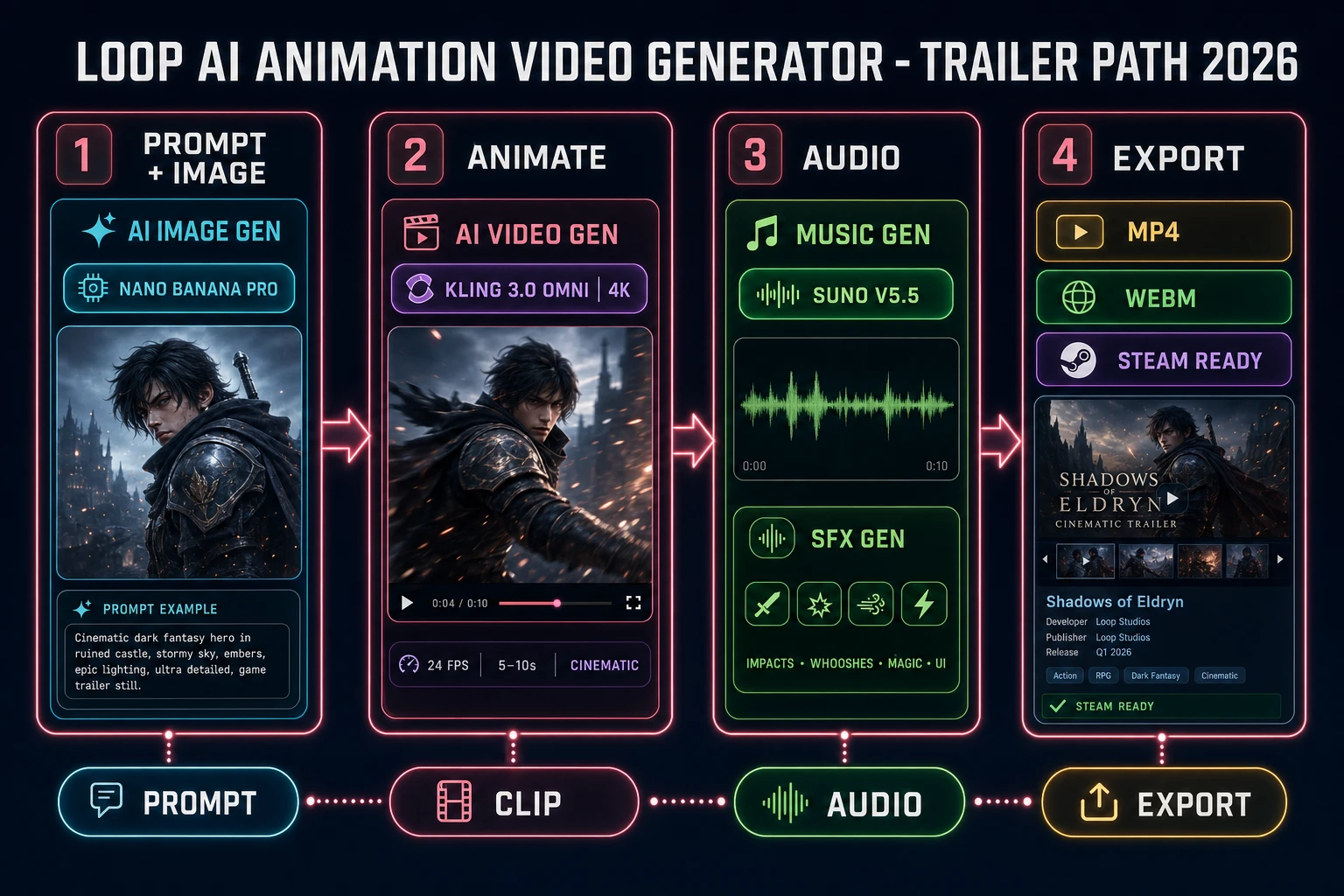
If the trailer is for a 2D game the honest 2026 loop pipes the AI animation video generator output into Sorceress Auto-Sprite v2. Verified 2026-09-13 in src/app/_home-v2/_data/tools.ts line 57, Auto-Sprite v2 is a three-step pipeline: (1) generate a character with AI image generation, (2) animate it with AI video, (3) let Auto-Sprite convert the animation into a clean, game-ready sprite sheet with background removed and frames aligned. That means a Steam trailer for a 2D game can either show the raw AI Video Gen clip as B-roll (with the AI-slop look) or, better, show the same clip cleaned into an animated sprite sheet playing over the game background. The second option reads as real gameplay.
The recipe is deterministic. Start in AI Image Gen with a plain-background A-pose character on Nano Banana Pro. Pipe that image into AI Video Gen and pick Grok Imagine 1.5 for a fast rough cut or Kling 3.0 Omni for a 4-second clean walk. Ask for a lateral walk cycle with a static camera. Drop the resulting MP4 into Auto-Sprite v2 and it slices the frames onto a transparent grid. Overlay that sprite sheet on a screenshot of your game background in the trailer editor - the audience sees the character actually walking through your level.