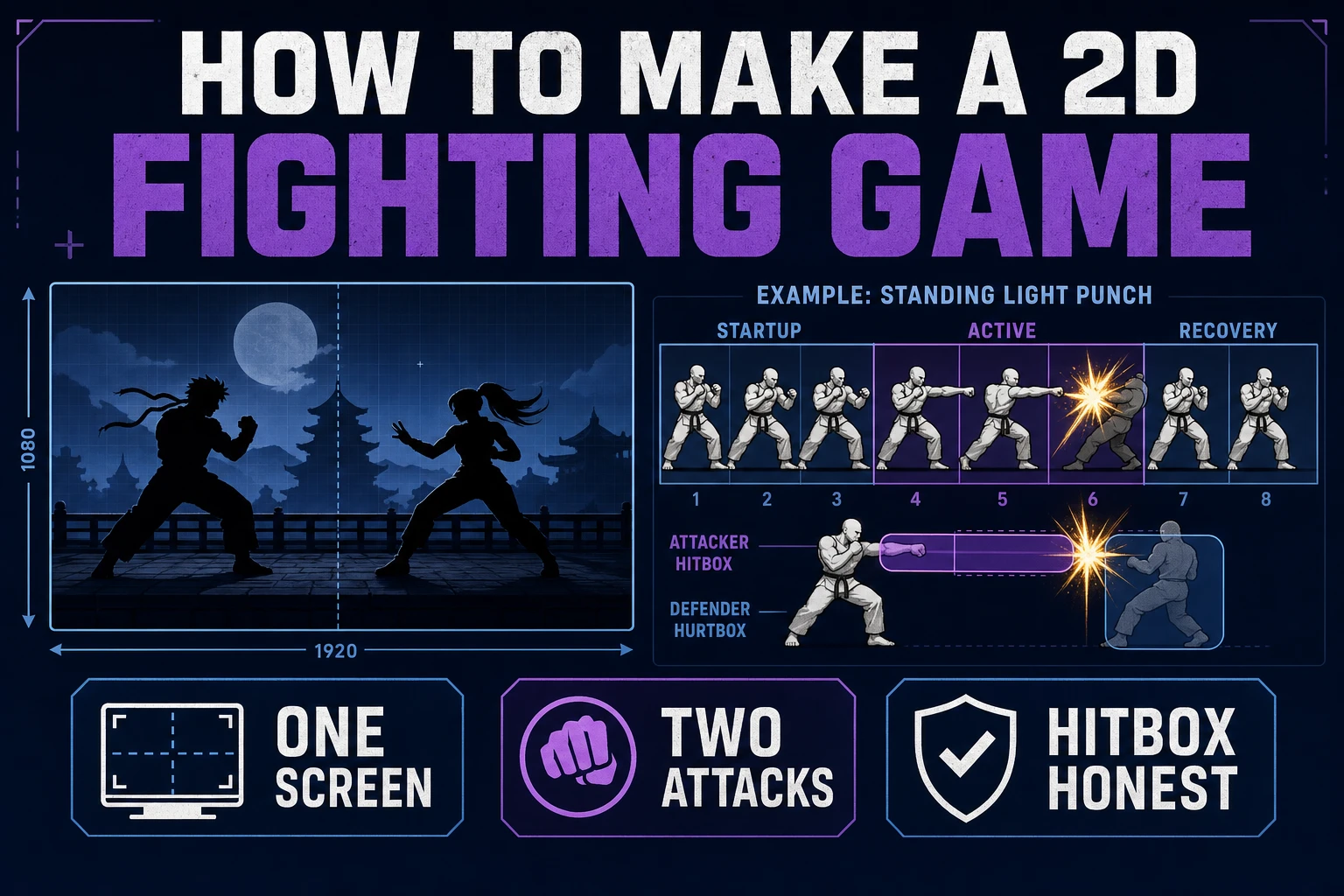
Brace How to Make a 2D Fighting Game (One Screen)

By Arron R.10 min read
How to make a 2d fighting game on a jam clock only works when you lock one screen, two attacks, and honest hitboxes. Plan the loop in WizardGenie, cast frames i

Most jam fighters die on Sunday morning because someone tried to build a roster instead of a match. A punch on frame one is a hitscan bug; a swing with no startup is not a fighting-game attack. Brace one screen, two attacks, and honest hitboxes before you commission a single sprite.
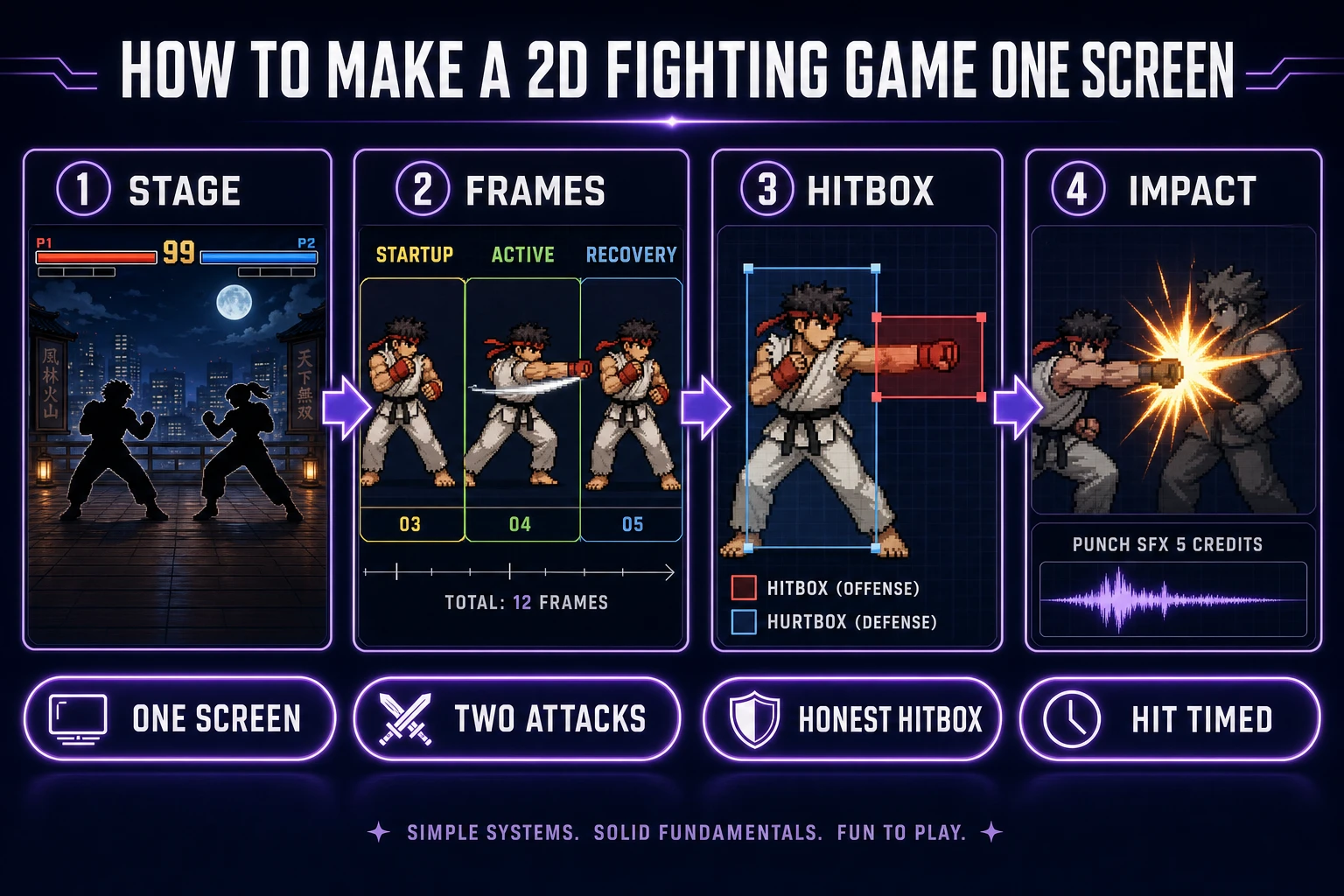
How to make a 2d fighting game one-screen pipeline from stage rules through frame budget hitbox and impact SFX
One screen, two attacks, honest hitboxes, timed impacts. Everything else waits.

What how to make a 2d fighting game must lock

The head query how to make a 2d fighting game hides two different projects. One is a weekend jam that has to ship. The other is a lifelong hobby project that never ships. This post is about the first one. If you want the second, ignore every stop rule below and enjoy year three of "just fixing the input buffer."

A shippable jam fighter locks five things before pixel one:

  • One screen. Fixed camera, no scroll, no arena transitions. The camera arguing with the walls is a full weekend by itself.
  • One hero, one dummy. The dummy can be a mirror of the hero. It does not need AI on pass one—it needs to stand there and take hits so playtest data exists.
  • Two attacks. A quick jab and a heavy commit. Every classic 2D fighter grammar reduces to these two shapes before it grows.
  • One win condition. Health hits zero, KO pose plays, round resets. No timers, no rounds-of-three, no super meter on pass one.
  • Honest hitboxes. A separate rectangle for what damages and what gets damaged. Not the sprite's alpha bounds.

Anything larger than that list is scope creep dressed as ambition. Fighting games as a genre carry decades of hidden systems—cancels, throws, chip damage, block strings—but a first playable does not need any of them. It needs a loop that reads on video.

The pipeline this post uses stays on three Sorceress tools: WizardGenie for the loop and the input handler, Quick Sprites for walk and attack rows, and SFX Gen for the punch and hit-stun beats. Everything else is either a distraction or a v2 problem.

The workflow at a glance

  1. Draw the one-screen stage on paper. Two silhouettes, a floor line, two walls, two health bars.
  2. Prompt WizardGenie for the input handler and the state machine: idle, walk, jab, heavy, hurt, KO.
  3. Cast walk and attack rows in Quick Sprites with the hero's costume tokens locked.
  4. Render two impact SFX in SFX Gen and one hit-stun beat.
  5. Wire the sprites into Phaser animations or your engine of choice, with hitbox and hurtbox rectangles as debug shapes.
  6. Playtest against yourself in mirror mode. Adjust frame data, not sprite polish.
  7. Stop.

Seven steps. If any single step slips into a full day, back up and ask what is actually blocking the loop.

One-screen stage rules

The camera is the first design decision in a 2d fighting game, not the last. A one-screen arena means the camera is fixed and both fighters have to share the frame at all times. That single constraint dictates hitboxes, dash distances, and stage width. Break it and the entire loop changes.

Pick the ratio for the platform you actually target:

  • 16:9 for desktop and web browsers. Room for two fighters plus a small side gutter. Health bars live at the top corners.
  • 4:3 for a retro grammar. Reads more grounded, less running space, more chip trades. Only pick this if the art also commits to CRT-era pixel proportions.
  • 1:1 or 3:4 for mobile-portrait. Odd for the genre, but valid for a jam gimmick. Attacks need to be shorter horizontally, which changes the frame budget.

Ground rules that pay for themselves:

  1. Fighters have hard walls at the stage edges. Not "camera pushes"—actual solid rectangles. Corner pressure is a real fighting-game emotion and it comes from walls, not cinematography.
  2. The floor is a single collision line at a fixed y. No slopes, no platforms. If you want platforms, you are making a platformer, not a fighter, and there is a different 2D platformer walkthrough for that shape.
  3. Health bars are HUD, not world. Draw them in screen space so the camera cannot move them. Put both at the top, mirrored, with the player-1 name on the left.
  4. The dummy has the same silhouette rules as the hero. If you build the hero at 96 pixels tall, the dummy is 96 pixels tall. Different heights on pass one look like a proportion bug, not a design choice.

Fixed camera means the animation grammar can lean on sprite silhouettes rather than dynamic composition. That is a gift on a jam clock.

Attack and hurt frame budget

Fighting game design lives and dies by frame data. The good news for a jam scope: three cells per attack is enough to communicate a shape. The better news: two attacks means six unique attack sprites plus a small idle and walk cycle. That is a shippable cast.

Minimum viable frame inventory for the hero:

  • Idle — 2 frames, alternating breath.
  • Walk — 4 frames, forward loop. Reverse-play it for the back walk.
  • Jab startup — 1 frame. Arm loading.
  • Jab active — 1 frame. Arm out with the hitbox.
  • Jab recovery — 1 frame. Arm returning.
  • Heavy startup — 1 frame. Bigger tell, wider shoulder rotation.
  • Heavy active — 1 frame. Arm all the way through with a longer hitbox.
  • Heavy recovery — 1 frame. Vulnerable, still turning back.
  • Hurt — 1 frame. Body flinched back.
  • KO — 1 frame. Down on the floor.

That is fourteen unique sprite cells for the hero, doubled if the dummy needs its own rig. On the classic frame-data spreadsheet the jab reads as, roughly, 3 frames startup / 2 frames active / 6 frames recovery once you re-time in the engine—hitbox theory says the active window should be shorter than the startup so opponents can react. Whether or not you internalize that math on pass one, keep active-frame counts smaller than startup-frame counts and you will be inside the fighting-game grammar.

Do not budget in-between polish frames until the loop plays. A three-cell attack that reads clearly beats a twelve-cell attack no one has playtested. Save the polish sprites for a v2 pass after the tournament round works end-to-end.
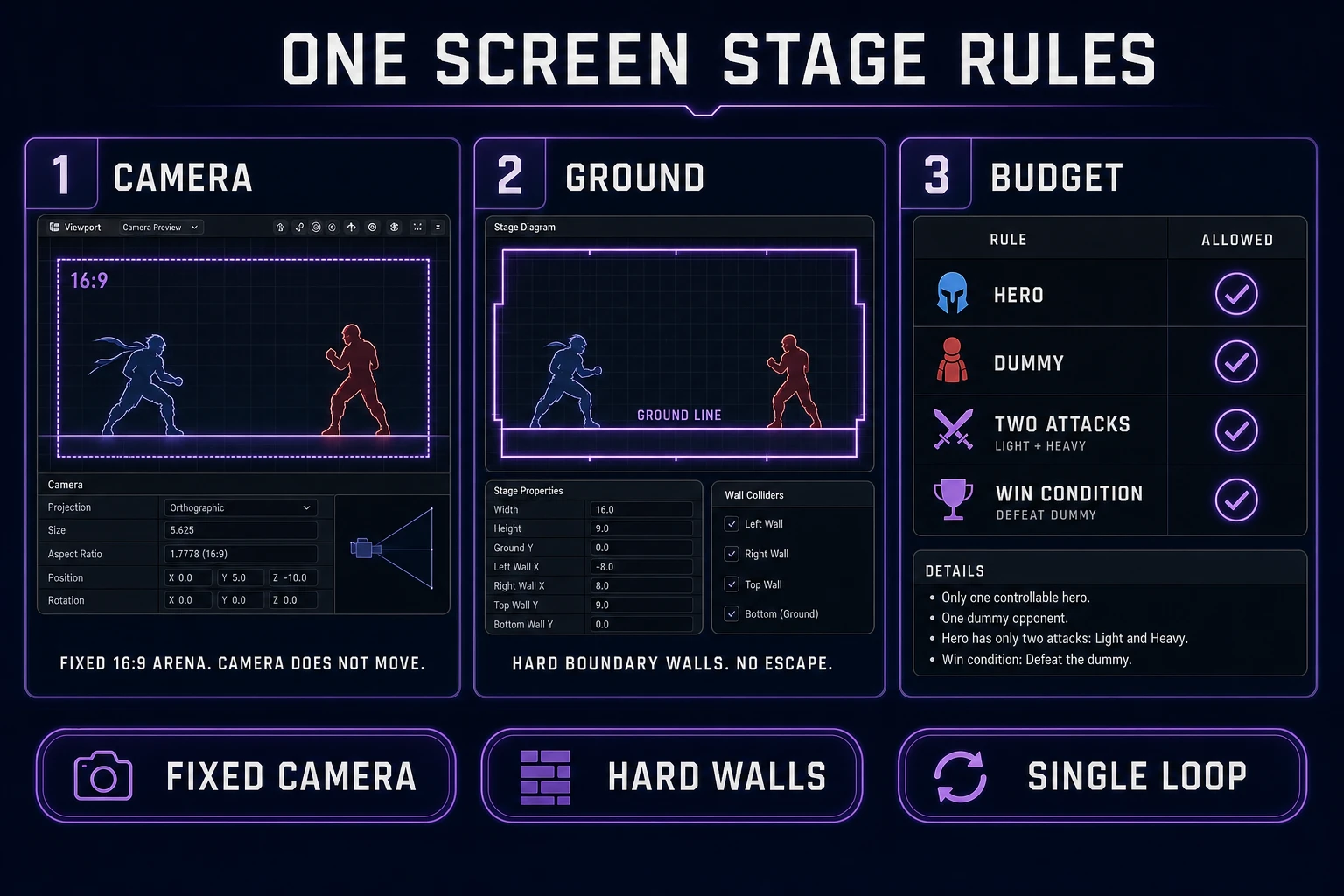
One-screen fighting game stage rules with fixed camera hard walls single floor and locked scope budget
Fixed camera, hard walls, single-line floor. The stage is a contract, not a mood.

Hitbox honesty before polish

The single most common failure in a first fighter is deriving the hitbox from the sprite. A translucent glow around a punch is not a hitbox; it is art. Fighting games separate hurtboxes (the body that can be damaged) from hitboxes (the box that damages during an active frame), and both are debug rectangles you can toggle on top of the sprite.

Non-negotiable rules for a jam fighter:

  1. Every attack frame has an explicit rectangle in game-space coordinates. Startup and recovery frames have no hitbox at all—just the hurtbox.
  2. Every character has a hurtbox at every frame, including hurt and KO. Yes, you can hit a downed opponent unless you code an invulnerability window; decide that once, not per attack.
  3. A hitbox flag on the collision resolves damage exactly once per attack. If the same active frame connects twice, the loop has a re-trigger bug, not a "combo".
  4. Draw the boxes on screen while you are prototyping. Red rectangles for hitboxes, blue for hurtboxes, plus a numeric frame counter. Turn off the render only when you record a trailer.

Once you accept that hitboxes are data, not art, the design conversation gets simple. "Should the jab recover in six frames or eight?" is a real question. "Should the punch feel snappier?" is not a design question until you decide which of the three frame slots to shorten. Feel is downstream of frame data, always.

Build the loop in WizardGenie

Open WizardGenie in the browser (or the desktop build if you have Early Access). Do not open the code editor first. The loop is a conversation, and the conversation belongs in the planner window before it belongs in a source file.

What to ask WizardGenie for, in order:

  1. A single-file starter that spawns two rectangles on a stage with hard walls and a floor line. No sprites yet—use colored rectangles so the physics is honest.
  2. An input handler that maps left/right, dash, jab, and heavy to keys or gamepad. Keep the mapping declarative in one object so a rebind menu is a v2 problem, not a v1 detour.
  3. A state machine with exactly six states: idle, walk, jab, heavy, hurt, ko. Each state has explicit transitions and cannot transition to itself.
  4. An attack resolver that reads the current animation frame, checks the active-frame flag, and applies damage exactly once. This is where hitbox honesty lives in code.
  5. A round manager that ends the match when either health hits zero, plays the KO pose, waits a beat, then resets positions.

WizardGenie is happy to write all five as a single pass, but a fighter loop is easier to debug in five separate chats. When one piece stops behaving, ask for a diff, not a rewrite. Never let the planner replace working code with a "cleaner version" mid-jam; refactors during scope commit are the second-most-common way jams die.

WizardGenie ships on both web and desktop. The desktop path (Windows installer with native filesystem access) is genuinely useful when you want to iterate on files without going through a browser sandbox. The web path is faster to open. Pick once and stop switching—the tools guide covers both routes end to end.

Pack sprites and SFX

Only after the loop plays with colored rectangles do you commission art. Open Quick Sprites. As of July 29, 2026, CREDITS_PER_GEN is 9 and the model id is retro-diffusion/rd-animation in src/app/quick-sprites/page.tsx. Pick a style-to-size pair and stay in it:

  • Four Angle Walking — 48×48 cells. Overkill for a fixed-camera fighter (you only need left/right), but the row grammar is consistent and easy to slice.
  • Small Sprites — 32×32 cells. Denser packs, cheaper to iterate, and readable at typical jam-embed sizes.

Prompt for the same subject tokens across every row. The hero's silhouette, palette, and camera do not change between the walk pass and the attack pass. If the walk row and the jab row disagree on which shoulder is forward, one of them is wrong—regenerate the offender rather than "fixing" both. When frames land, feed them through Sprite Analyzer to confirm consistent cell dimensions before you import; a 49-pixel-wide frame inside a 48-column atlas will hitch every fighting-game player who ever recognized a hitbox drop.

Attack rows on top of the walk pack cost another 9 credits per direction, and you only need one direction because the second is a mirror. Two attacks means two additional generations, so a whole cast pass is roughly three Quick Sprites runs: walk, jab, heavy. That is 27 credits for a full inventory. See the sibling sprite-sheet packing walkthrough for atlas hygiene once frames are in hand.

Then open SFX Gen. Two audio paths matter for a fighter:

  • Seed-audioSEED_AUDIO_CREDITS_PER_SECOND is 1 with a 1-credit minimum (src/app/sfx-gen/page.tsx, verified July 29, 2026). A punch clip is one to two seconds; a hit-stun beat is under a second. Budget three to five credits per SFX and stop.
  • kie-sounds-v5_5 — flat 3 credits per generation. Useful when a fixed-cost predictable render is easier than counting seconds while iterating.

Render three SFX: light-punch impact, heavy-punch impact, and a hit-stun body-thud. Wire them into the state machine with a one-frame delay so the sound leads the visible knockback by exactly one active frame. The Web Audio API makes precise timing cheap in the browser—use its AudioBufferSourceNode.start(when) and stop tuning by ear once the impact reads on video.

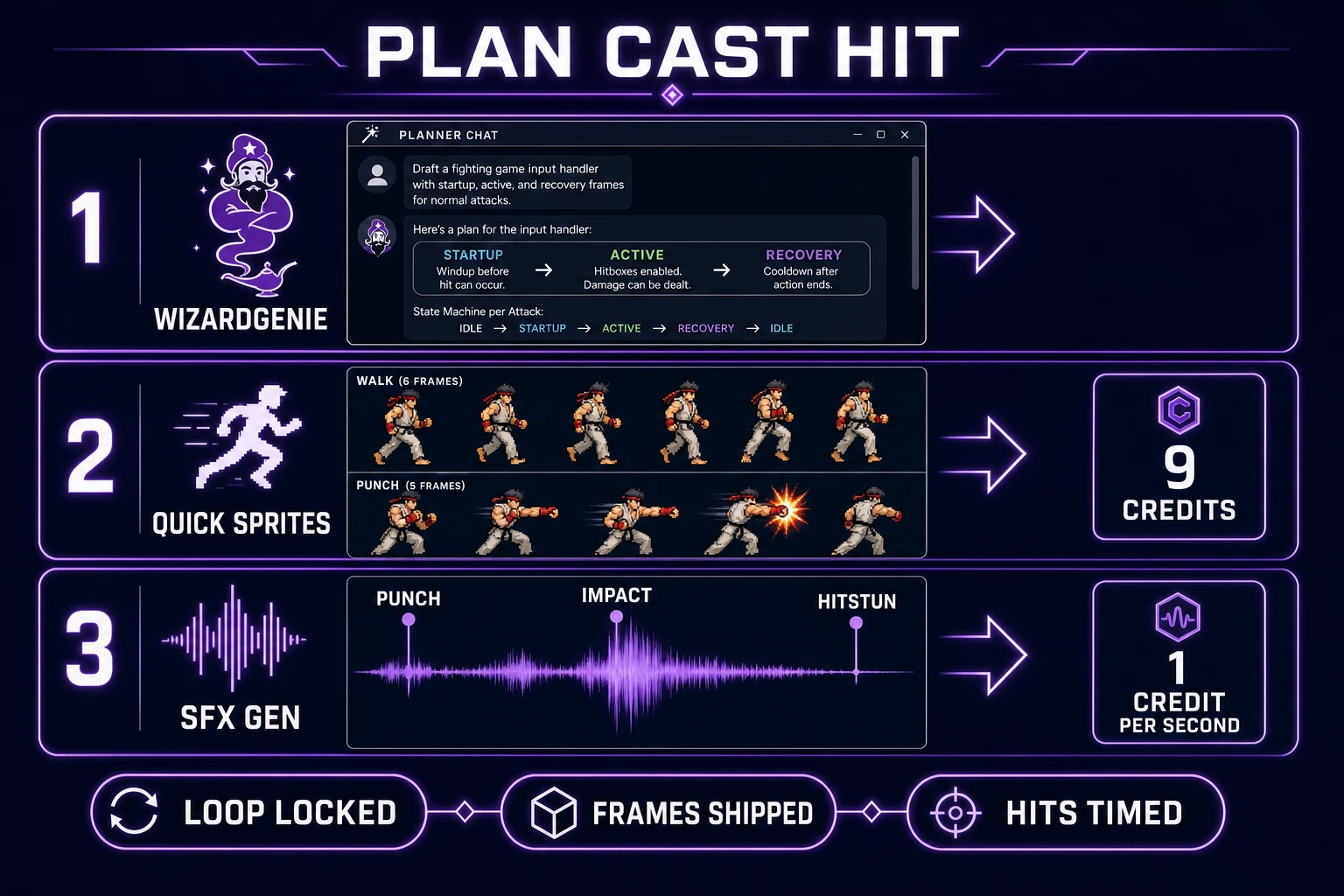
WizardGenie planner Quick Sprites frames and SFX Gen impact waveform for a jam fighting game
Plan the loop before you buy art. Cast frames before you buy sound. Time hits last.

Stop rules before feature creep

The jam clock is finite. The scope creep is not. Stop rules that keep a first fighter shippable:

  1. No third attack. Until the jab and the heavy read cleanly on video, a special move is a distraction. Add specials in v2 with a proper motion-input parser.
  2. No blocking on pass one. Guard mechanics change everything about frame trades. Ship the raw punch loop first; the whole community can tell you within two rounds whether the base loop is fun.
  3. No supers, no meters, no chip damage. Every meter is a UI job, a numeric-tuning job, and an animation job in one. The v1 loop has none of those budgets.
  4. No aerial combos. Airborne states double every hitbox test. If you must jump, a two-frame arc for spacing is enough; there is no "juggle" system on pass one.
  5. No second character. Every added character multiplies the frame-data workload by roughly 1.5x—new hurtbox proportions, new attack ranges, new balance conversations. Ship the mirror match first.
  6. No rebind menu, no options screen. Hardcode the inputs and hardcode the sound volumes. UI polish is a v2 milestone and the current milestone is "the round ends".

Cost math for the whole shippable loop, verified July 29, 2026 against source constants:

  • Quick Sprites walk pack: 9 credits.
  • Quick Sprites jab row: 9 credits.
  • Quick Sprites heavy row: 9 credits.
  • SFX Gen light-punch impact (seed-audio, ~2 s): ~2 credits.
  • SFX Gen heavy-punch impact (seed-audio, ~3 s): ~3 credits.
  • SFX Gen hit-stun beat (kie-sounds-v5_5): 3 credits.

Total: roughly 35 credits for a full sprite cast plus impact library. WizardGenie planning is free with a BYO key—the planner sends prompts through your own model endpoint, so a jam session costs what the underlying model charges, not a Sorceress surcharge. Lifetime Access is listed at $49 via LIFETIME_PRICE in src/app/plans/page.tsx (verified July 29, 2026); it unlocks the non-generative tooling but generation itself still meters credits.

Ship the mirror match. Playtest against yourself. Record the round. If the loop reads on video, you made a 2d fighting game. Then—only then—consider whether the second character is worth a second weekend.

Frequently Asked Questions

What does how to make a 2d fighting game actually mean for a jam?

One screen, one hero, one dummy, two attacks, one win condition. Anything larger burns the weekend. A one-screen fighter can playtest by day two; a full roster fighter cannot ship at all under jam pressure.

How many attack frames does a first 2d fighting game need?

Three per attack is enough: startup, active, recovery. Six total for two attacks. Add a hurt reaction and a knockout pose and you are at eight sprites. The visible motion carries the read; do not budget twenty in-betweens on pass one.

Which Sorceress tools drive the pipeline?

WizardGenie plans the loop and writes the input handler, Quick Sprites casts the walk and attack rows at 9 credits per generation on retro-diffusion/rd-animation (verified July 29, 2026), and SFX Gen bills 1 credit per second on seed-audio or 3 credits per generation on kie-sounds-v5_5 for the punch and hit-stun beats.

How do I keep hitboxes honest under jam pressure?

Draw the hurtbox and hitbox as separate rectangles you can toggle on screen. Never derive them from the sprite bounds. Active frames should be shorter than startup, and startup should be visible so an opponent can read it. If a move connects on frame one, it is not a fighting-game attack, it is a hitscan bug.

What does the loop cost in credits?

One walk pack plus one attack row from Quick Sprites is 18 credits. Two punch SFX and one hit-stun beat from SFX Gen on kie-sounds-v5_5 is 9 credits. Optional WizardGenie planning is free with a BYO key. Lifetime Access is $49 (verified July 29, 2026).

Sources

  1. Fighting game - Wikipedia
  2. Hitbox - Wikipedia
  3. Animations - Phaser Concepts
  4. Web Audio API - MDN Web Docs
  5. Sprite (computer graphics) - Wikipedia
Written by Arron R.·2,319 words·10 min read

Related posts