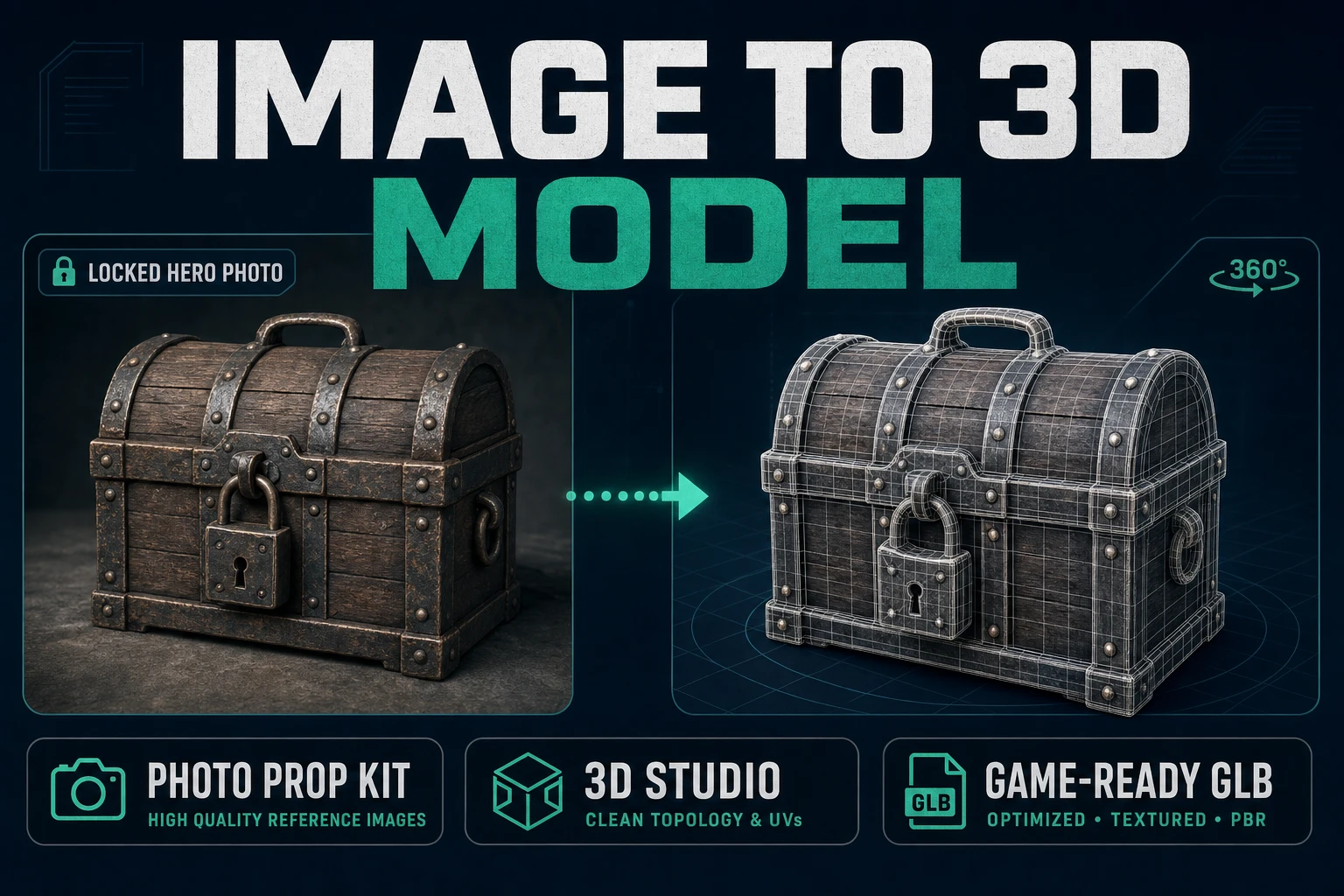
Snap an Image to 3D Model (Photo Prop Kit)

By Arron R.9 min read
Turning an image to 3d model in the browser is honest now: prep a clean plate, pick Tripo v3.1 or Meshy 6 in 3D Studio (credits verified July 29, 2026), orbit-c

Everyone shows off "image to 3d model" demos with a perfect studio lighting rig and a rendered chess piece. Jam devs need a different pass: one prop plate, one mesh model in a browser tab, one GLB you can drop into your engine before the coffee cools. The head query hides a workflow, not a party trick.
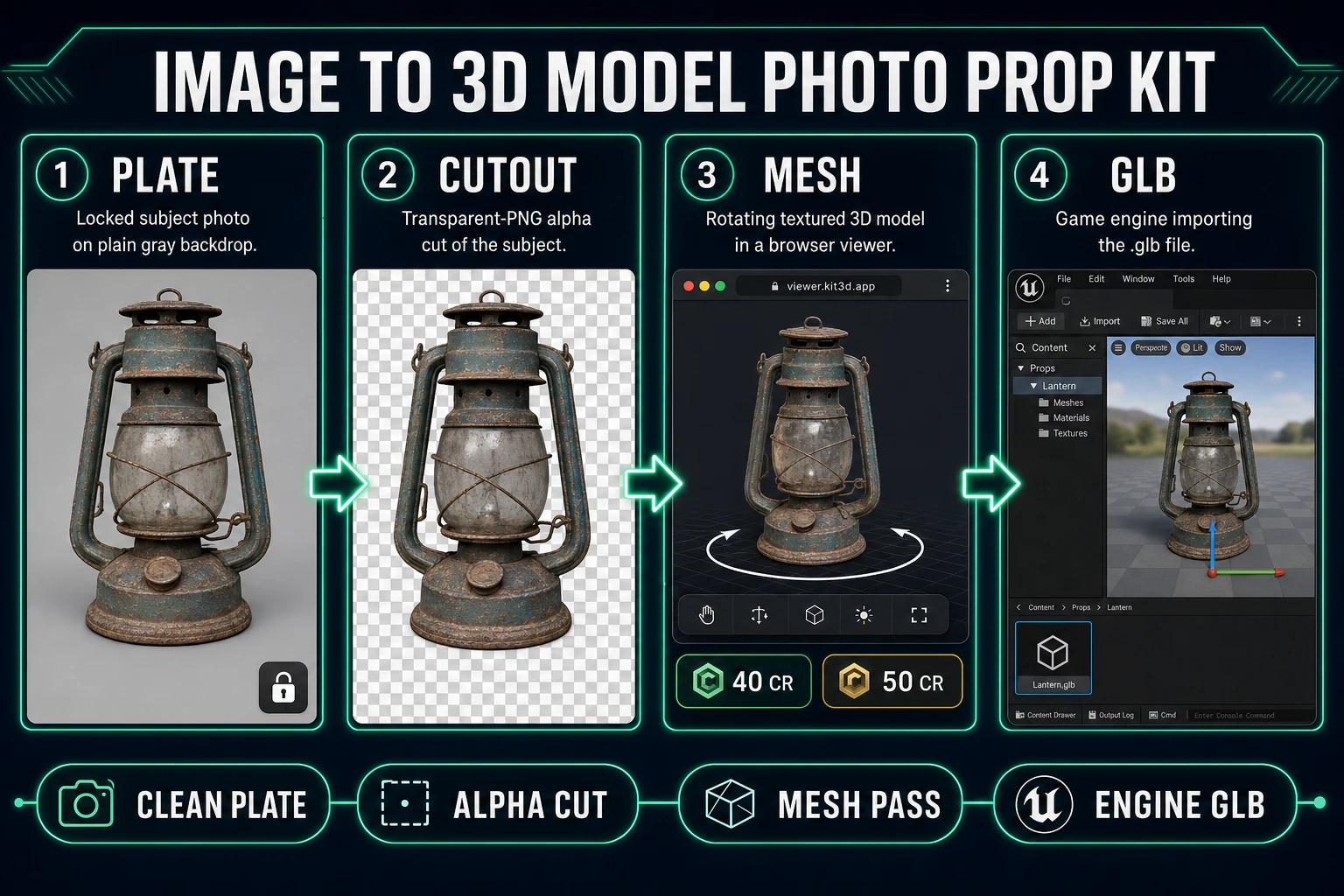
Image to 3D model pipeline from photo through cutout to textured mesh and GLB export
Prep a plate, cut alpha, pick one mesh model, export GLB. That is the honest browser path — no Blender seat required.

What an image to 3d model search actually wants

DataForSEO lists image to 3d model at 8,100 monthly searches with KD 27 in research-supplement.md (verified July 29, 2026). The plural image to 3d models ties at 8,100 too, and long-tails like image to 3d model free (2,900/mo), convert image to 3d model (720/mo), and ai image to 3d model (590/mo) sit under the same umbrella. Readers typing any of those want the same deliverable: a textured, orbit-checked, engine-importable mesh from a single reference image — without cranking a desktop DCC.

Every honest workflow needs three ingredients: a clean plate, one chosen model, one credit budget. A polygon mesh generator will average whatever you feed it, so pass one thing: one subject on a plain backdrop, framed to fill the crop. If the plate looks like a shopping-cart mood board, the mesh will look like the same mood board — averaged, blurred, and missing the silhouette that made you pick the reference in the first place.

The Sorceress path here is deliberate. 3D Studio hosts every image-to-3D model we ship, BG Remover cleans the plate, and AI Image Gen creates the reference plate when you do not have a photo to start with. Sibling blog posts cover branded long-tails (Meshy, Tripo, 2D-to-3D conversion) and the free-tier framing; this post targets the head-term image to 3d model workflow for jam devs who need one prop shipped this week.

Prep a plate the mesh models can actually read

Every mesh generator inherits the same weakness: it hallucinates unseen surfaces. If your reference photo hides the back of a helmet under a shadow, the mesh will invent a back. If the subject sits against a busy background, the model will smear that background into the top of the silhouette. Prep the plate before you spend a single credit.

  1. Fill the frame with the subject. Roughly 70 to 90 percent coverage. A tiny subject on a huge white sheet forces the model to invent detail from nothing.
  2. Use a plain backdrop. Grey card, plain wall, or a single sheet of paper. Not your dining table.
  3. Kill the background if it is not already plain. Open BG Remover. BG_REMOVER_CREDITS is 3 and MAX_FILE_SIZE_MB is 5 in src/app/bg-remover/page.tsx (verified July 29, 2026). Upload the plate, download the transparent PNG.
  4. Inspect on a checkerboard. Silhouette edges should not glow white. Feet should not float on a matte wedge. If the cutout is soft, the mesh will inherit that softness.

Optional but strong: generate the reference plate in AI Image Gen when you do not have a photo. A single prompt with subject, camera, and plain-backdrop tokens produces a plate the mesh models happily eat. The Sorceress Mold Image to 3D post covers the case where you skip alpha entirely; this workflow uses the cutout because game props survive a hard silhouette better than a soft product-shot matte.
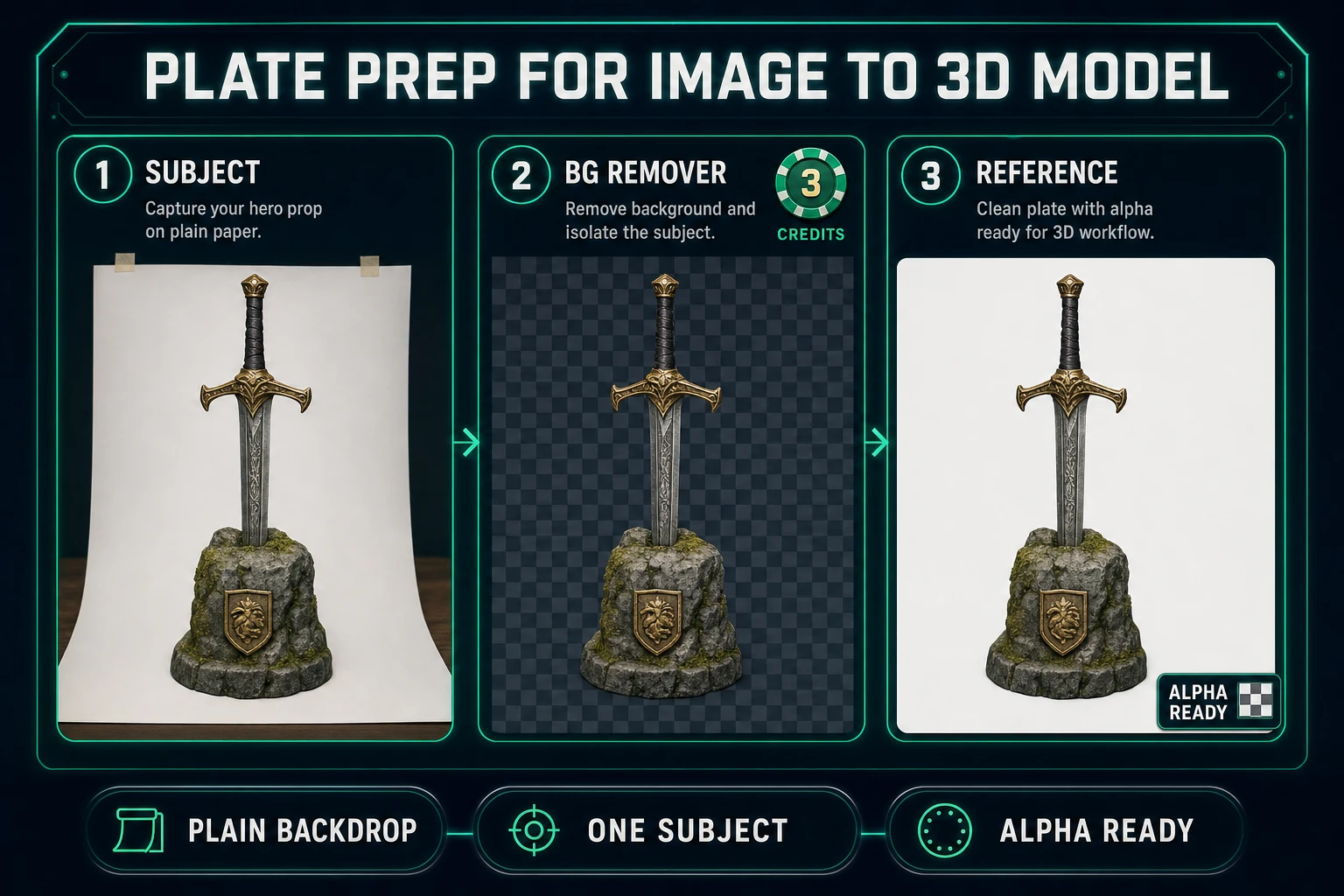
Plate prep for image to 3d model: subject on plain paper, BG Remover 3 credit cutout, alpha-ready reference
Plain backdrop, one subject, alpha cut. The image to 3d model pass inherits your plate — feed it garbage and the mesh will average garbage back at you.

Pick a model and credit budget

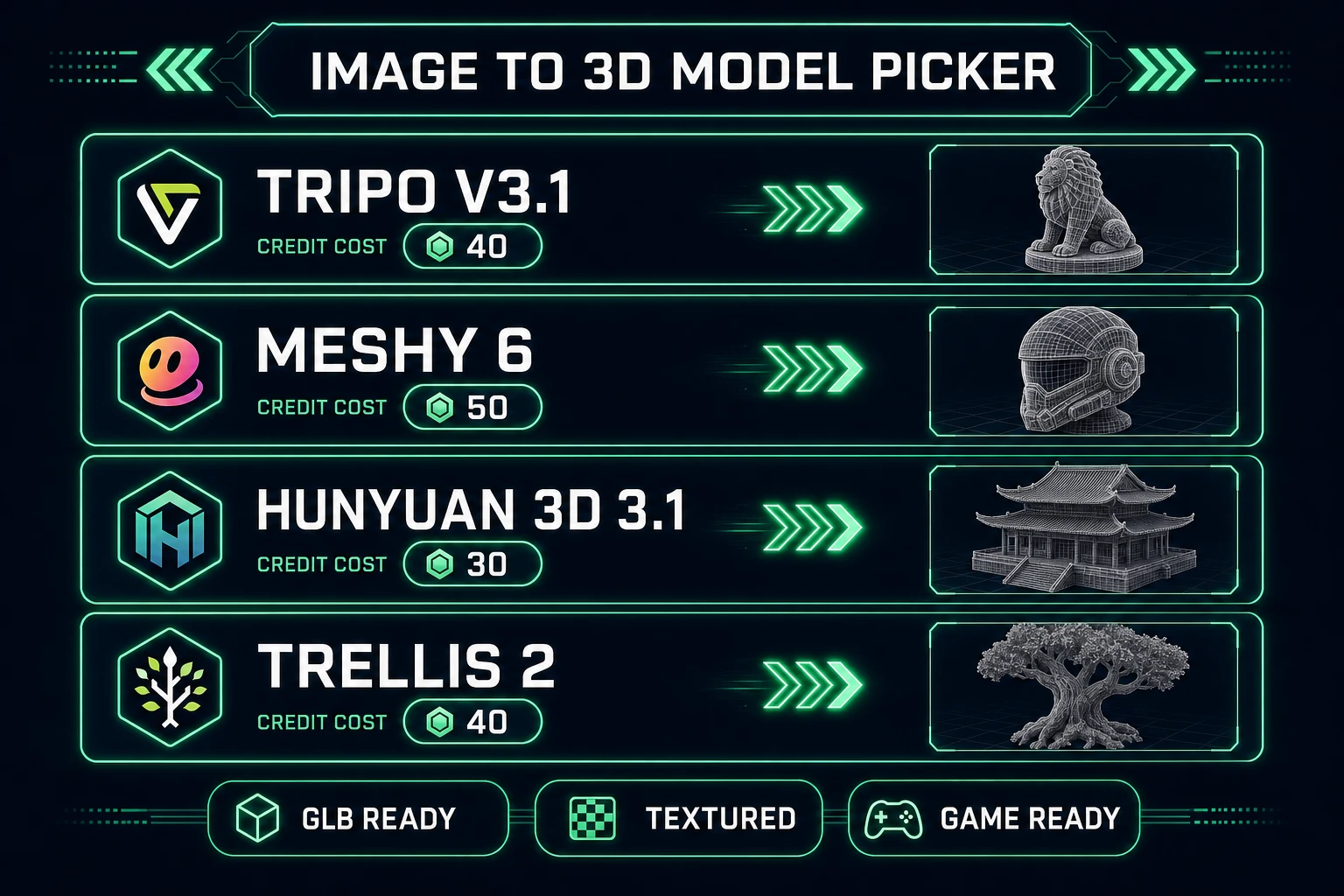
3D Studio exposes six image-to-3D models in the default picker (plus a VIP-free option). The model registry lives in src/lib/threed-models.ts; every number below was pulled from that file on July 29, 2026. Do not memorize these — check the source before quoting them anywhere.

  • Tripo v3.1 — 40 credits for image-to-3D with standard texture, up to 50 credits at HD texture (add 5 for quad mesh, 30 for detailed geometry). Rating "Best" in the picker.
  • Meshy 6 — 35 credits base + 15 for texture (default on) + 15 for remesh, so 50 credits for a textured single-image run. Adds Smart Topology (meshy-t2) and native part separation. Rating "Best".
  • Hunyuan 3D 3.1 — 30 credits. Rating "Best Budget" for jam runs where you want three passes without burning a whole starter pack.
  • TRELLIS 2 — 35 credits at 512p, 40 at 1024p (default), 45 at 1536p. Microsoft Research model routed through fal.ai. Good when you want a controllable resolution knob rather than a texture toggle.
  • Rodin 2.0 (Hyper3D) — 50 credits. Quad mesh + PBR default. Only model that ships GLB, FBX, OBJ, USDZ, or STL from a single toggle.
  • Pixal3D — Free unlimited for VIP members, locked otherwise. Sorceress-hosted, image-to-3D only.

Budget rule for a jam prop: pick one model, run it once, ship if it survives orbit-check. If it does not, fix the plate — do not switch to another provider mid-asset. Two providers on the same reference plate produces two meshes with different topology grammar; you cannot texture-swap them consistently later.

Lifetime Access is listed at $49 via LIFETIME_PRICE on the plans page (verified July 29, 2026). Lifetime does not mean unlimited silent retries — credits still meter every run. Cap yourself at 100 credits per prop before you sit down.

Snap the first pass in 3D Studio

Open 3D Studio. The panel splits into modes: image-to-3D, text-to-3D, and multi-image-to-3D on models that support it (Meshy 6 and Tripo v3.1). Pick image-to-3D. Upload the alpha-cut PNG. Pick one model.

Prompt shape that survives:

  1. Confirm the reference is the right file. Half of failed runs start with the wrong upload.
  2. Leave defaults on the first pass. Every model has a texture toggle on and a reasonable polycount cap out of the box. Fight none of it.
  3. Set A-Pose or T-Pose only if the subject is a humanoid you plan to rig. For a prop, leave pose empty.
  4. Kick the run. Wait. Do not queue three variants in parallel — you cannot compare passes if you have not yet seen one succeed.

The Meshy 6 image-to-3d API surface (confirmed against docs.meshy.ai on July 29, 2026) exposes model_type (standard, smart-topology, lowpoly-deprecated), ai_model (meshy-6 / latest / meshy-t2), enable_pbr, texture_resolution, and topology (triangle, quad). 3D Studio surfaces the important knobs; the rest defaults to sensible values for a game prop.

While the job runs, do not tab-hop to a competitor playground. Every image to 3d model provider has drift between their marketing preview and the actual browser run — chasing sample screenshots mid-job is how you burn twenty credits before you have inspected a single result.

Orbit-check topology and texture

When the job finishes, 3D Studio drops you into a WebGL viewer. Orbit the mesh at three angles: three-quarter front, side, back. Ask the four honest questions:

  • Does the silhouette match the reference? A prop that reads at hero angle but collapses at side view failed.
  • Are there floaters — small disconnected islands of geometry near the mesh? Common on messy alpha cuts.
  • Does the texture align to the mesh, or is it smeared across a seam? A misaligned UV drops the run to concept-only status.
  • Does the polycount fit your engine? A 500,000-poly mesh imports fine into Three.js dev tools but hitches on mobile.

If the mesh fails silhouette, the fix is upstream — regenerate the plate, cut cleaner alpha, re-run. If it fails texture alignment, try the same model with texture alignment set to geometry instead of original_image. If the polycount is too high, drop face_limit (Tripo) or decimation_target (TRELLIS 2) before you re-run. Do not accept a broken mesh and try to fix it in a paint app — texture surgery on a busted UV never ends.

Some jobs produce two versions: the raw dense mesh and a remeshed version. Meshy 6 should_remesh (+15 cr) and Rodin Quad mode both retopologize for cleaner triangles. Keep both files. The dense one holds texture detail; the remeshed one imports faster.

3D Studio image to 3D model picker with Tripo v3.1, Meshy 6, Hunyuan 3D 3.1, and TRELLIS 2 credit costs
Six image-to-3D models, credit costs from source. Pick one for the prop, orbit-check, ship. Do not switch mid-asset.

Export GLB and hand off to the engine

Every model in 3D Studio exports glTF 2.0 (.glb) by default. GLB is the workhorse: single-file, textures embedded, works in every modern engine. Only Rodin 2.0 exposes the full FBX/OBJ/USDZ/STL menu — use FBX only if your engine specifically wants it (Unreal picks up FBX slightly faster than GLB), USDZ for Apple AR, STL only if the prop is heading to a 3D printer instead of a game.

Engine handoff steps:

  1. Download the .glb. Rename it to something an artist can find in six months.
  2. Drop it into your engine or a plain <model-viewer> tag in a static HTML page for a sanity pass.
  3. Match world scale. A prop that renders one meter tall in 3D Studio may import 100 meters tall in your engine — the auto-size flag (Tripo, Rodin) helps but always confirm before you set navmesh geometry against it.
  4. Set up a single test light. If the prop reads at grey ambient + one directional light, it will read in your game. If it needs a full three-point rig to be legible, the texture is fighting the mesh.

Do not rig or texture-swap on the first import. Ship the prop as static geometry first, playtest one level, then decide whether it deserves a rig, a normal-map redo, or a full LOD chain. Most jam props ship untouched after import — the point of an image to 3d model workflow is to get shippable geometry into the level, not to open a week-long PBR side-quest. Phaser texture concepts and Three.js material docs both assume the incoming mesh has honest UVs; give them that.

For animation-ready pipelines, the Sorceress Convert Image to 3D Model post covers the specific browser + GLB-out path with rig hand-off notes. When the mesh is a humanoid you will animate, generate with pose mode set to A-Pose or T-Pose before you leave 3D Studio.

Cost math and stop rules

Honest cost math for a jam prop (verified July 29, 2026 against src/lib/threed-models.ts):

  • Optional reference plate on AI Image Gen: 3 to 18 credits depending on model.
  • One BG Remover pass: 3 credits.
  • One image-to-3D pass on Hunyuan 3D 3.1: 30 credits. On Tripo v3.1: 40 credits standard, 50 HD. On Meshy 6 textured: 50 credits.
  • One optional remesh on Meshy 6: +15 credits.

Total worst-case for a single prop with generated reference: ~70 credits. Cap yourself at 100 credits per prop before you sit down. If you hit that cap without a shippable mesh, the failure is upstream (plate), not downstream (model). Fix the plate — do not throw more credits at drift.

Stop rules that protect the run:

  1. No second model until the first mesh survives orbit-check.
  2. No manual repair on a busted UV. Regenerate.
  3. No competitor tab-hopping mid-job. Every image to 3d model provider looks better in their marketing than in a browser tab.
  4. Store the input plate next to the .glb. Six months from now you will want to re-run with the same reference.
  5. Playtest before you polish. Static import + one game level answers "is this prop worth polishing?" faster than any topology inspection. Stay on the Sorceress tools guide path so credit math stays comparable run to run.

The head-term image to 3d model workflow is not glamorous. Prep a plate, pick one model, export a GLB, ship. Everything else — the polish, the retopology, the PBR redo — is downstream of a run that survived orbit-check. Do the honest run first, in 3D Studio, in a browser tab, and you will have shippable geometry before your coffee cools. That is the whole point.

Frequently Asked Questions

What does an image to 3d model workflow actually need to lock?

A clean plate, one chosen model, and one honest credit budget. Prep the input (crisp subject, plain backdrop, alpha cut when the model likes it), pick one mesh generator, and set a cap before you run. Skip any of the three and you burn credits on drift.

Which image to 3d model options ship in 3D Studio and what do they cost?

As of July 29, 2026, src/lib/threed-models.ts registers Tripo v3.1 (40 credits base for image-to-3D standard texture, up to 50 credits at HD), Meshy 6 (35 base + 15 for texture + 15 for remesh = 50 credits textured), Hunyuan 3D 3.1 (30 credits), TRELLIS 2 (35/40/45 credits at 512/1024/1536), and Rodin 2.0 (50 credits). Pixal3D is free unlimited for VIP members.

How do I prep an image for the image to 3d model pass?

Fill the frame with the subject. Kill the background — either shoot on plain paper or run BG Remover (3 credits, 5 MB cap in src/app/bg-remover/page.tsx, verified July 29, 2026). Preserve every silhouette edge. Do not upload a full mood board — the mesh model averages conflicting shapes.

When should I pick Tripo v3.1 over Meshy 6 for an image to 3d model run?

Tripo v3.1 leans slightly toward higher fidelity plus PBR flexibility at the same 40 to 50 credit range. Meshy 6 adds Smart Topology, natively separated parts, and multi-image-to-3d support. For a jam prop, pick whichever you already know — both ship game-ready GLB. Do not chain two providers on the same asset in one run.

How do I export a game-ready GLB from an image to 3d model job?

3D Studio exports GLB by default from Meshy, Tripo, TRELLIS 2, and Hunyuan. Rodin 2.0 supports GLB, FBX, OBJ, USDZ, and STL. Pick GLB unless your engine specifically wants FBX. Drop the .glb into a Three.js scene or your engine and orbit-check before you rig or texture-swap.

Sources

  1. glTF 2.0 specification (Khronos Group)
  2. Polygon mesh — Wikipedia
  3. Meshy Image to 3D API docs
  4. Textures — Phaser Concepts
  5. WebGL API — MDN Web Docs
Written by Arron R.·1,962 words·9 min read

Related posts